5 best atom packages to ease Your web Development

Developed by GitHub, the highly customizable environment and ease of installation of new packages has turned Atom into the IDE of choice for a lot of people. It is worth mentioning that the code examples provided in this dunebook.com were actually coded using Atom only. Atom is a text editor that’s modern, approachable, yet hackable to the core—a tool you can customize to do anything but also use productively without ever touching a config file. That being said, let’s highlight 5 best atom packages and take a bird’s eye view of how each one of them can ease Your app Development.
1 – Minimap
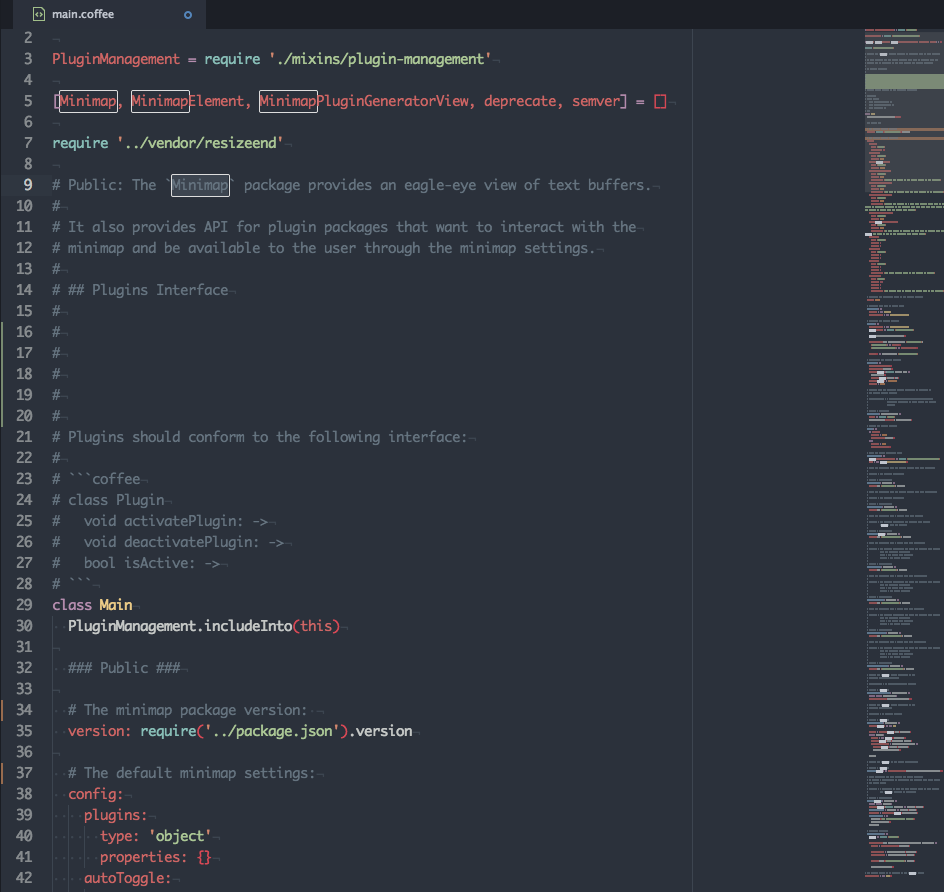
The minimap is one of Atom’s most popular packages, Minimap provides you A preview of the full source code of the file you are editing.
productivity-boosting features
- It Allows you to display a preview of a text editor in your UIs, Using a stand-alone version of the Minimap.
- Canvas-based Rendering: Simple, fast and flexible.
- Plugins available to boost your productivity
- You can Use the plugin generation command and start developing your plugin right away.
2 – Atom Beautify
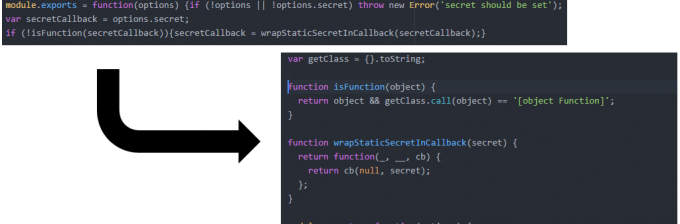
Atom Beautify makes your code clean & readable. Atom Beautify is very helpful & handy for cluttered code files. Beautify also offers many other configurations to adjust the code layout of your choice.
productivity-boosting features
- Supports HTML, CSS, JavaScript, PHP, Python, Ruby, Java, C, C++, C#, Objective-C, CoffeeScript, TypeScript, Coldfusion, SQL, and more in Atom.
- Beautify your code On Save
- only selected code can be Beautify
- You can configure the code layout of your choice
3 – Pigments
Pigments highlights text, searches your project and creates a directory of all the colors used in your projects. Pigments can highlight LESS/SCSS variables as well as plain color names.
productivity-boosting features
- Pigments tracks & saves everything
- Pigments will highlight every color in every file
- You can search for all colors in your project using the
Pigments: Find Colorscommand from the command palette - The autocomplete provider will only complete color names in editors whose scope is present in this list.
4 – Emmet
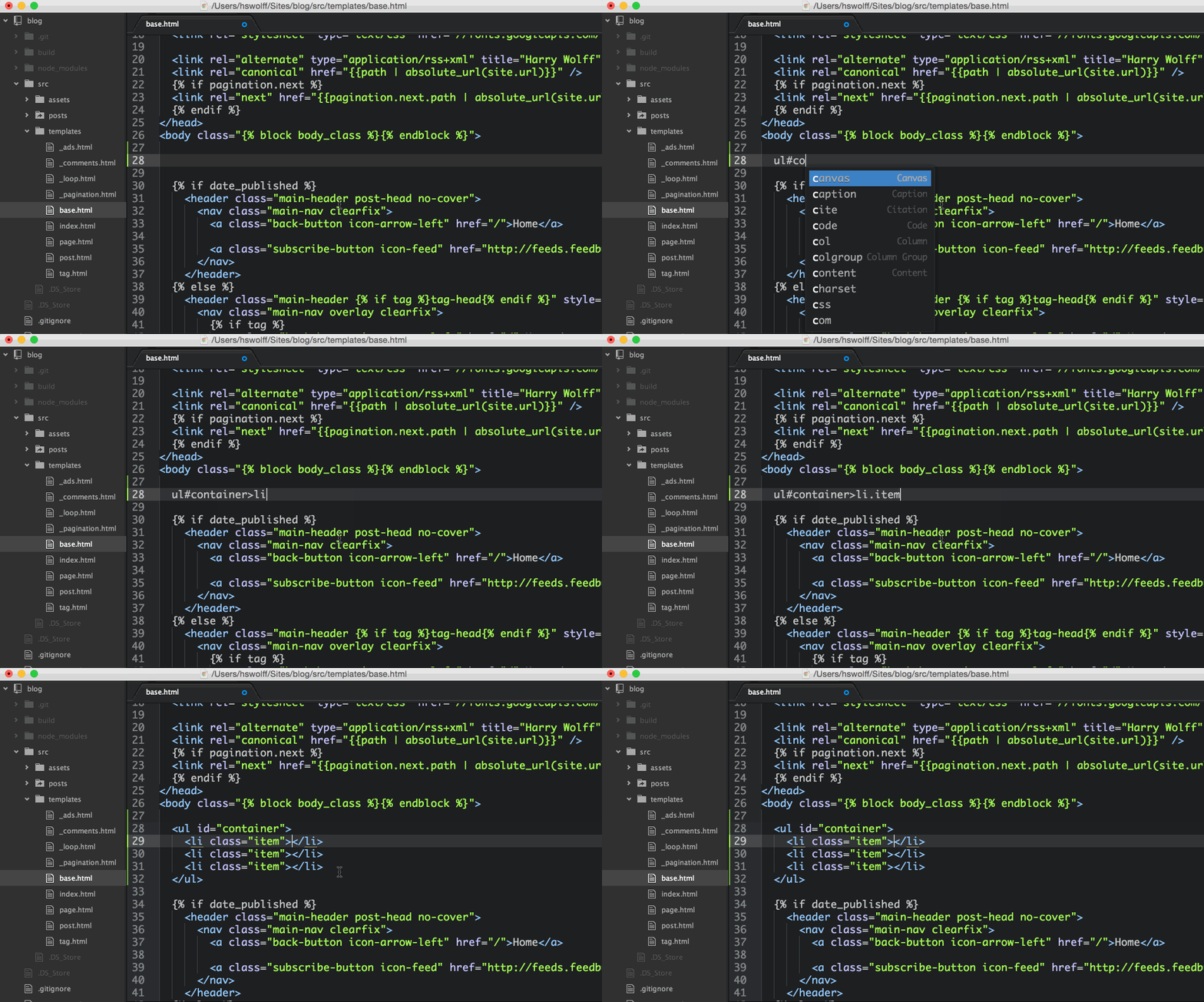
Emmet improves your HTML & CSS workflow. Emmet Comes with lots of shortcuts and allows you to create snippets for your own custom shortcuts.
productivity-boosting features
- Better tabstops in generated content: when abbreviation expanded, hit Tab key to quickly traverse between important code points.
- Expand abbreviations by Tab key.
- interactive actions allows you to preview result real-time as you type.
- Better tabstops in generated content
5 – Linter
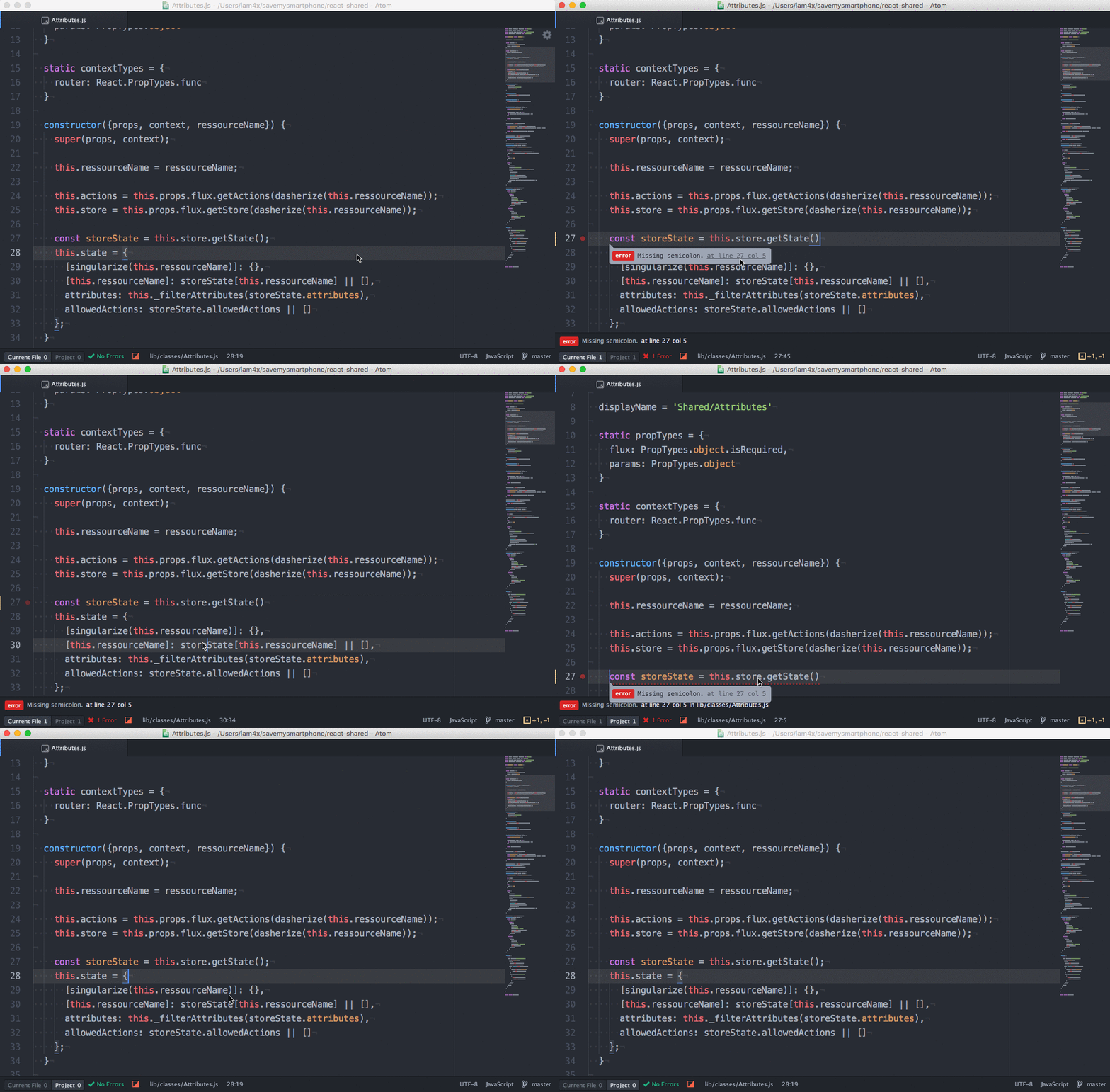
Linter provides an API to other helper add-ons To show errors and warnings that tools pick up on through static analysis in files. helper add-ons Includes JavaScript, CoffeeScript, CSS / SASS / SCSS / LESS / STYLUS, Ruby, Python support.
productivity-boosting features
- Scans the source code for common mistakes
- checks the code after every input and shows errors and warnings right away
- Extensions available such as JSHint, JSCS and JSXHint for JavaScript.
- Extensions can be easily installed through command line